MMORPG for low end PC and mobile: how to play a light online RPG on an old laptop or your phone
An MMORPG for a low end PC has to ask little of your machine: run in the browser, use 2D graphics and draw only what is on screen. Echoes of Aora is that kind of MMORPG: it opens in a tab with nothing to download, and runs on old laptops, simple computers and phones held sideways, and you can install it as an app straight from the browser.
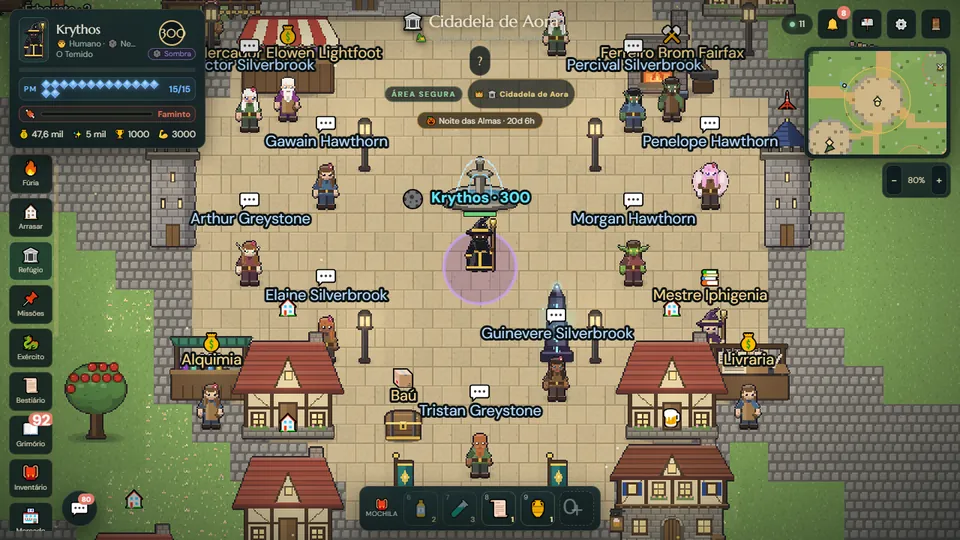
Can you play an online RPG on a low end PC?
Yes, as long as the game is built for it. What weighs an MMORPG down is usually the installed client: gigabytes of files, 3D graphics, shadows and effects that need a dedicated graphics card. A laptop that is five or ten years old, an office computer or an entry-level phone struggles with all of that.
A 2D browser RPG goes the other way. The world is drawn from above in pixel art, and the heavy part (the whole map, the monsters, the other players, the battles) lives on the server. Your device only receives what is happening near you and draws it on screen.
Why Echoes of Aora runs light
- It runs in the browser. No installer and no patch to download: the game loads like a website and uses the WebGL your browser already has.
- 2D pixel art graphics. No 3D models or complex lighting. On small screens, the zoom is set so the pixels stay sharp instead of blurry.
- The scenery loads in chunks. The world holds thousands of trees, houses and props, but only the chunks near the camera are on screen. The rest waits, stored away, until you get there.
- A frame rate cap. The game draws up to about 60 frames per second, even on 120 Hz screens, so your phone does not heat up for nothing.
- Automatic light mode. If the device spends two minutes of play running slow, the game drops ambient particles on its own, uses a single rain layer and shows fewer townsfolk. The device remembers it and starts light next time.
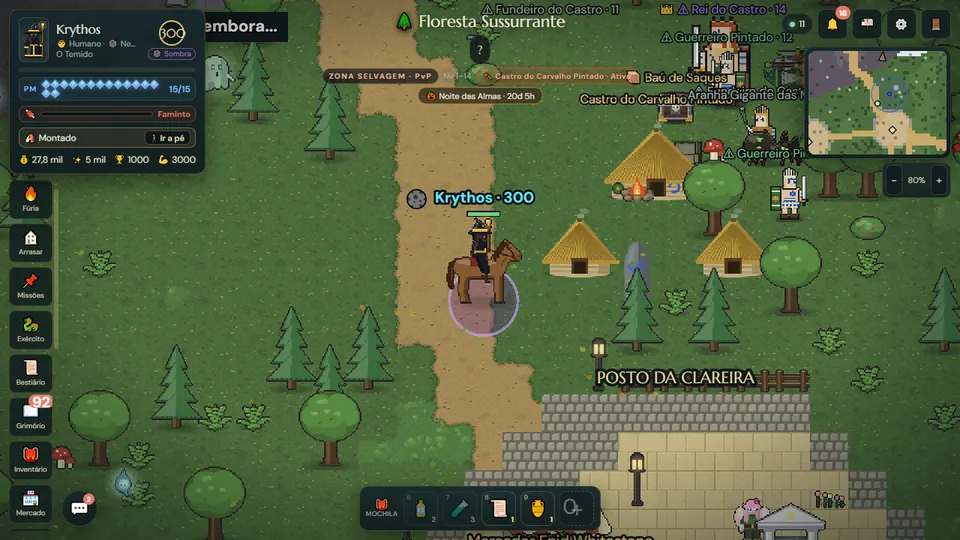
What you need to play
- An up-to-date browser, on a computer or a phone.
- An internet connection. It is an online game: the world and the other players are on the server, so you cannot play offline.
- A free account. Your character is saved on the server, not on your device.
There is no list of minimum hardware: if your browser opens echoesofaora.com and the map moves smoothly, you are good to go. It takes no space on your disk or your phone's storage either.
What is it like to play an MMORPG on mobile?
Echoes of Aora is made for a phone held sideways, in landscape. Upright, there is too little height for the map and the buttons, so the game shows a "Turn your phone" screen, with the option to play upright anyway.
To walk, use the on-screen joystick or tap the ground. Double-tap a creature to battle and tap the minimap to open the full map. In the interface settings you can pick the size of the buttons and panels, make the panels more see-through and move the joystick to the other side for left-handed play.
Since it is the same account, you can hunt on your phone during the day and carry on at your computer at night, right where you stopped.
How to install the game as an app from the browser
- Open echoesofaora.com on your phone and log in.
- In the game's Settings, tap Install under "Play as an app". If the button does not show up, use the browser menu and choose "Install app" or "Add to Home screen" (on some phones the path is Share, then "Add to Home Screen").
- Open it from the new icon: the game starts fullscreen, in landscape and without the browser bar.
No app store needed: the install happens through the browser itself, and the game keeps updating on its own.
Tips to run better on a weak machine
- Close other tabs and programs, especially videos.
- On a laptop, play plugged in: battery saver mode holds the processor back.
- On a phone, install the game to your home screen: fullscreen, without the browser bar, the map gets more room.
- In the interface settings, choose the small interface and show only your own damage numbers, or none.
- If the device is very basic, turn off the background music and hide the chat box when you are not talking.
- Prefer Wi-Fi over a weak mobile connection: in real-time combat, a stable connection matters as much as the device.
Read next
- Browser MMORPG, no download: free online RPG to play now
- 2D MMORPG in 2026: the old school online RPG is back
- RPG for beginners: a complete guide to start playing
Frequently asked questions
Which online RPG runs on a low end PC?
Games that run in the browser with 2D graphics tend to be the lightest. Echoes of Aora is one of them: it opens in a tab with nothing to download and draws only the part of the world near you.
Does Echoes of Aora work on mobile?
Yes. The game plays on a phone held sideways, with an on-screen joystick, and can be installed to your home screen like an app straight from the browser.
Do I need a graphics card to play?
There is no list of minimum hardware. The game uses the browser's WebGL; if your browser is up to date and the map moves smoothly, you can play.
Can I play offline?
No. It is an MMORPG: the world, the creatures and the other players are on the server, so you need to be connected to the internet.
What is light mode?
When the device spends two minutes of play running slow, the game drops ambient effects on its own, uses less rain and shows fewer townsfolk in cities. The choice is kept on that device.